What’s covered
- Introduction
- What is a Translation Management System?
- Benefits of Translation Management Systems
- How to choose the best Translation Management System for your product
- 10 features of a Translation Management System to check
- 1. Ease of set-up and use
- 2. Supported integrations
- 3. Agile and continuous localization
- 4. Real-time translation memory
- 5. AI capabilities
- 6. Customizations and scalability
- 7. Free trial and flexible pricing models
- 8. Responsive support and the company’s reputation
- 9. Security standards
- 10. Translation analytics
- To sum up
- Choosing a Translation Management System (TMS) FAQ
- Frequently asked questions
- About Gridly Translation Management System
Introduction
Choosing the right Translation Management System is half of the success of any localization project. While requirements may vary, there are some must-have features that a translation tool should include.
In this post, we’ll go through the most essential features you need to consider when choosing the best Translation Management System for your business. But first things first: let’s start with why you need such a tool in the first place and how you can benefit from it.
What is a Translation Management System?
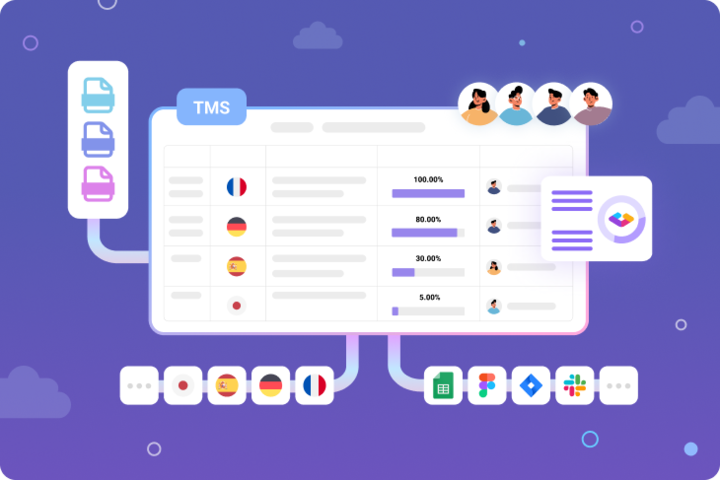
A Translation Management System (TMS) is software that helps manage product localization and automates a lot of processes associated with it.
Without a TMS, you’d need to manually extract the content to translate, put it into spreadsheets or other document formats, invite translators and reviewers to collaborate on these documents, and then transfer translations to code files. Performing all these steps manually is not only extremely laborious but also opens up ways for a multitude of errors and inconsistencies. Fortunately, there are plenty of Translation Management Systems that make the process easy and efficient.
Benefits of Translation Management Systems
If you’re thinking about translating your product into multiple languages to enter and explore new markets, translation management software can help you achieve that by offering the following advantages:
- Easily manageable process of localization. A Translation Management System will visualize the process for you, automatically notify you about the changes, run checks according to your criteria, etc. With a tool adjusted to your particular needs (team members involved, types of content translated, statuses, etc.), the process is pain-free and lets you reach your localization goals faster.
- Fast way to international expansion and global revenue growth. Given the automation and ease of use, TMSs can help you reach new markets at record speed. Plus, if the system includes analytics, you can connect translation data with your marketing data to see which translation efforts pay off.
- Power of automation. Most TMSs offer AI capabilities that will automatically create pre-translations that you’ll only need to post-edit. With the automation done right, the process of localization can get faster and cheaper.
All these benefits come to life when you choose the best Translation Management System for your project, taking into account your goals, scope of work, team, and other details. That being said, let’s discover what features of Translation Management Systems to look for and how to make the right decision.
How to choose the best Translation Management System for your product
Before we dive into the must-have and nice-to-have features, let’s go over the steps you should take prior to exploring the TMS options. These actions will help you get a clear picture of what you need and ultimately, make the right decision.
-
Define the objectives you’re pursuing with product localization. Do you have particular KPIs for each target market? In which areas do you expect a TMS to improve the efficiency of your operation? Ask yourself such questions to understand how you’ll evaluate if localization is successful.
-
Evaluate your existing translation process or imagine how you want to build one. If you already have a multi-language product and a team working on translations, ask the people involved about possible bottlenecks and issues, as well as the features they are using and expect to have. If you’re only starting a localization endeavor, consider what localization team you’ll have and what approach to translations you want to use.
-
Determine target languages and types of content for translation. Consider all formats of content that are or might be applicable to your product and think about the regions you want to target.
10 features of a Translation Management System to check
When you have a clear understanding of your ideal localization process, you can easily distinguish the features you need when searching for a translation management tool. We’ll go through the most obvious capabilities that TMSs must have and the most demanded features by various companies using localization software.
1. Ease of set-up and use
A Translation Management System is meant to make your life easier so it should involve minimal manual efforts. Explore the videos of the TMS interface, book a demo, or start a trial to see how simple it is to perform your regular translation activities on a given platform. Here are some of the things to focus on:
- Collaborative capabilities. Given the collaborative nature of the localization process, you need to make sure that the platform makes it easy to invite people, manage different roles, and control access to data. It’s essential for a localization tool to provide an interface for translators and give you straightforward tools to assign tasks and control their completion. It’s also important to have convenient communication tools, including internal comment exchange and integrations with external messengers.
- Filtering. It might come in handy to filter content based on various criteria such as project, language, status, etc. Check out what filtering options a TMS offers and if they are customizable.
- Live editing. Your localization team can save a lot of time thanks to a live editing dashboard where different translators and reviewers can work on content segments in real time.
- Branching. Sometimes, you might need to work on different versions of your product simultaneously: for instance, translating new content for an upcoming update while keeping the current content intact. In such situations, branching will facilitate version control by allowing you to create separate branches and work on them in parallel.
2. Supported integrations
When choosing a Translation Management System, integrations should play a vital role in your decision. The way a TMS fits into your tech stack will define the ease and success of your localization projects.
Don’t consider your existing tech stack only but think about the integrations that might be required at later stages. For instance, you might need to translate the product’s UI copy at the moment but soon you might want to also localize marketing materials—it’s better to check if a TMS can be connected to different content platforms you’re using.
Here are some of the integrations a Translation Management System should have:
- Data source connectors. One of the most important things for a TMS is seamless data exchange. Check if the platforms you’re considering support the tools and file formats you’ll be using for extracting content.
- Integration with design tools. If you want to enable localization at the stage of creating UI designs, you’ll benefit from integrations with tools like Figma. For instance, with Gridly’s Figma plugin, you can quickly sync translations with the created UIs and check what they look like in different languages.
- Support of messengers and task management tools. To seamlessly integrate localization tasks into a larger scope of work on your product, you’ll need a TMS to have integrations with Slack, Jira, and other tools you use. This way, you’ll be able to keep everyone involved in the processes up to date and see the bigger picture of how localization tasks fit your agenda.
- CMS integration. If your scope of translations includes web pages, it makes sense to connect a TMS to a CMS your website is running on so that it’s accurately localized and updated.
- API and SDK. If you need some custom integrations with third-party systems or are looking to extend the whole functionality of a Translation Management System, check out the API documentation and if there is an SDK that will work for you.
3. Agile and continuous localization
By following the principles of Agile development, Agile localization allows you to incorporate translations to each sprint and have a translated product ready every time it’s updated. With Agile localization, you don’t have to wait for a major development milestone to start localizing. You might also want to incorporate continuous localization, which means you don’t even have to wait for a sprint to finish to publish new translations—there will be a continuous flow of translations synced with design and development processes.
Unless you’re building a product based on the Waterfall approach, you should consider Agile or continuous localization. This methodology will give you transparency over all processes, improve collaboration between development and localization teams, and help you translate content faster and with fewer errors. Analyze if you’ll be able to build a continuous localization workflow when searching for the right TMS. Gridly, for example, is a translation management tool that was built specifically with continuous localization in mind.
4. Real-time translation memory
Translation memory is one of the absolute must-have features in a Translation Management System. It stores previously translated content and automatically creates pre-translations when segments of new content match something from the stored one. The adoption of translation memory continuously grows in different areas related to translations: in the 2022 European Language Industry Survey, translation memory tops the list of the most commonly used technologies by language professionals.
A real-time translation memory will help you maintain consistent terminology and brand voice throughout the different types of content and platforms you’re aiming for. Plus, it will allow for faster translations at a lower cost as it maximizes productivity and minimizes redundant work.
It’s safe to say that most TMSs include a translation memory. When choosing the platform, explore how their translation memory set-up works—not the availability of a translation memory but a particular workflow can be a distinguishing feature.
5. AI capabilities
There probably isn’t a single tool that isn’t leveraging AI to some extent, and AI-powered Translation Management Systems have become the industry norm. Here are the AI capabilities worth checking:
- Machine translations. According to the 2023 marketing localization report by Unbabel, 39% of companies incorporate machine translations into their localization strategy. With the boom of generative AI and continuous advancements in this domain, machine transitions are becoming a necessity, not an option. AI algorithms can generate initial translations of content, speeding up the process, or can be used to identify potential errors and provide context-specific suggestions.
- Automated QA checks. See if a translation management platform offers automated QA checks to identify common translation errors (spelling mistakes, punctuation issues, formatting inconsistencies, etc.). It’s especially helpful if you can set up custom rules for specific terminology or anything else that matters for your product.
- OCR. With optical character recognition technology, a TMS can automatically extract text from images or scanned documents. If you have such use cases in the localization process, see which platforms support the OCR technology.
- Text-to-speech conversion. If your content formats include videos, you might benefit from the technology that converts written text into spoken audio. It’s a great feature to look for in a game Translation Management System as game developers might need quickly generated voice-overs in different languages.
- Workflow automations. Using an AI-powered Translation Management System, you’ll be able to create workflow automations with different types of triggers and third-party integrations to eliminate redundant manual work and achieve your localization goals faster. For example, check out how to set up custom automations in Gridly.
6. Customizations and scalability
If a Translation Management System offers powerful out-of-the-box capabilities but fails to give you some flexibility and customization, this is probably not the tool to go with. Adjusting the tool to your particular processes can’t be underestimated—this is what will actually streamline your localization strategy.
With that said, explore what customization options TMSs have to offer. Check if you can create custom translation statuses, set up custom automation workflows, and upload your own assets (glossary, style guide, etc.) to be interpreted by the system.
Speaking of scalability, this is where you need to apply your forward thinking and consider what requirements for a TMS can potentially grow over time. In this context, cloud-based Translation Management Systems are a good choice as they should have scalable infrastructure to cover growing translation volumes and expanding user bases. It’s also important to review if a TMS offers APIs to expand its functionality and range of integrations.
7. Free trial and flexible pricing models
The price of software is often a major defining factor. While it shouldn’t be the single most important factor, it’s crucial to review your options before making a decision. Besides checking the pricing tiers themselves, you might want to pay attention to the following:
- Free trial. Any TMS should offer you a free trial period to explore its capabilities. See what are the limits to the platform’s functionality during a free trial.
- Limits on the number of users and different role-based access rights. Depending on the size of your team, you might need a different number of users allowed to work on a project, as well as a simple way to manage their access rights and assign roles.
- Flexibility in pricing models. Businesses value pay-per-use as one of the most important things to consider when searching for a translation platform. You might also want some flexibility if you’re planning on using only some particular features.
- Additional expenses. Analyze if there might be some charges that exceed the monthly or yearly fee. TMSs may have some limitations on the number of records, duration of stored version history, API calls, or other capabilities, and you need to have transparency on possible extra charges.
Some TMSs are even available for free for individuals and small teams. You can get started with Gridly for free.
8. Responsive support and the company’s reputation
It’s in your best interest to learn as much as possible about how a Translation Management System can help you resolve issues and navigate you through the functionality. Book a live demo to learn more about the platform and explore the existing support documentation. You should feel confident that if a problem occurs, you’ll be able to quickly sort it out, without it affecting the flow of your localization processes.
Also, it always makes sense to read the reviews. From these reviews, you can learn what features real users particularly value and what problems they’ve experienced with different TMSs. You can put a specific focus on the niche a given TMS is targeted at—for example, a game Translation Management System should include functionality for non-textual content and support a variety of specific gaming platforms.
9. Security standards
Since you’ll be uploading a lot of your information into a translation management tool, it’s crucial to check if it follows the industry’s best practices when it comes to security protocols and data protection.
The security-related aspects to check include:
- Hosting solutions. Learn what cloud service a cloud-based Translation Management System uses and what security certificates it features.
- Access control and authentication. Learn what authentication methods are used for accessing the platform and how you can control the access to your data with role-based permissions.
- Security protocols for data transfer. Make sure a TMS uses the latest security protocols to encrypt data when it’s exchanged.
10. Translation analytics
At some point in your localization plan, you need to analyze the results to see if it’s worth it to continue translating your product into different languages, if you need to expand to new markets, and so on. Ideally, a Translation Management System should collect analytics and present it to you on a comprehensible dashboard.
You can think about the metrics beforehand and see if they are available in a given TMS. Here are some of the metrics that might be included in localization platforms:
- Cost analysis. A TMS can provide you with a breakdown of the cost of translating your product to each individual language. You can combine this information with your marketing and sales insights to calculate the ROI of the localization to each particular region.
- Translation quality. You can analyze how well machine translations work for your project, as well as how many edits and reviews human translations need. You can also evaluate individual contributors by the percentage of errors or retranslations that they’ve required.
- Localization progress. You should have the possibility to quickly assess the status of ongoing translation broken down by languages or other parameters.
To sum up
To choose the best Translation Management System for your project, you have to set up your criteria and requirements first and then evaluate the existing platforms to see if they are a good fit. When reviewing different TMSs, pay attention to the level of customization they offer, their automation capabilities, and available integrations.
Choosing a Translation Management System (TMS) FAQ
What is a Translation Management System?
A TMS, Translation Management System, is software designed to automate and facilitate the process of translating an app, website, game, or other digital products.
What factors should I consider when choosing a TMS?
You should think about the localization team you have or want to have, the tech stack you’ll need to connect with a TMS, and the features that are the most important for your niche. The major features to consider include: an intuitive interface, supported integrations, automations, the use of AI, customizations, analytical functionality, and data protection measures.
What are the key features of a TMS?
Collaborative capabilities, translation memory, machine translation, automated workflows, and integrations with different third-party tools are among the key features any Translation Management System needs.
How important are integrations in a Translation Management System?
It’s essential to make sure a chosen TMS supports integrations with the tools you’re using for design and development, communication, task management, marketing campaigns, etc.
Can I transition from one TMS to another?
Yes, and if you want to transition to a new Translation Management System, learn how this process goes.
What pricing models are available in Translation Management Systems?
Most TMSs charge a monthly or yearly fee and offer several tiers that differ in the number of users, advanced features, volume of storage, and other nuances. Some platforms also offer pricing models based on the number of words or strings you’re translating.
Frequently asked questions
What is a Translation Management System?
A Translation Management System (TMS) is software that manages and automates the end-to-end process of localizing digital products — apps, websites, games, and other content — into multiple languages. Without a TMS, teams must manually extract content into spreadsheets, coordinate translators over email, track statuses in disconnected tools, and re-import completed translations back into code or production systems. A TMS replaces this fragmented process with a centralized platform that handles content extraction, translator coordination, translation memory, quality checks, and delivery — reducing errors, cutting costs, and enabling teams to scale localization without proportional increases in headcount.
What is the difference between a TMS and a CAT tool?
A Computer-Assisted Translation (CAT) tool is the environment where translators work — it presents source text, surfaces translation memory matches, enforces glossary terms, and checks for errors at the segment level. A Translation Management System is the broader operational layer that manages projects, assigns tasks, tracks progress across languages, automates workflows, and connects the localization process to development and content systems. In practice, most modern platforms combine both: the TMS handles project management and automation, while the CAT module is the workspace translators use within the same platform.
When does a business actually need a TMS?
The clearest signal is when manual processes are creating bottlenecks — translators are working in emailed spreadsheets, status updates require chasing people individually, version conflicts are causing mistranslations to reach production, or localization is consistently delaying releases. For businesses shipping in more than two or three languages, with content that changes regularly, or with teams that include external translation vendors, a TMS typically pays for itself quickly in time saved and errors avoided. Early-stage products targeting a single market can often manage without one, but it is better to implement a TMS before volume becomes a problem than after.
What factors should I consider when choosing a TMS?
Start by defining your localization objectives and the KPIs you will use to evaluate success. Then assess your existing process — what the current bottlenecks are, which team members are involved, and which tools you need to connect to. From there, evaluate platforms against your specific requirements: the content types you need to translate, the languages you are targeting, the integrations your tech stack requires, the level of automation you need, your security and compliance requirements, and your budget. Feature lists matter less than fit — the best TMS is the one that slots into your actual workflow rather than requiring your team to change how they work to accommodate the tool.
What integrations should a TMS support?
The most critical integrations depend on your content source. Development teams need connectors to version control systems and CI/CD pipelines. Game studios need native plugins for Unity and Unreal Engine. Product and marketing teams need connections to CMS platforms, design tools like Figma, and app stores. Across all use cases, integrations with communication tools like Slack and task management platforms like Jira allow localization tasks to stay visible within the broader project workflow. A comprehensive REST API is essential for any integration not covered out of the box, and an SDK extends that further for teams building custom workflows. Evaluate integrations not only for what you need today but for what your content scope may include in six to twelve months.
How does translation memory work in a TMS and why is it important?
Translation memory stores every approved translation as a source-target segment pair. When new content arrives that matches or closely resembles a previously translated segment, the TMS surfaces the existing translation automatically as a suggestion. Exact matches can be applied without retranslation; fuzzy matches — segments that are similar but not identical — are flagged for human review. Over time, a well-maintained translation memory reduces the volume of new translation required on each project, lowers costs, and enforces terminology consistency across all content. Translation memory is one of the few TMS features where the value compounds: the longer it is maintained correctly, the more value it delivers on every subsequent project.
What AI capabilities should a modern TMS have?
At a minimum, a modern TMS should support machine translation from multiple engines — allowing teams to apply AI-generated first drafts that human translators post-edit rather than translating from scratch. Automated QA checks that flag spelling errors, missing tags, formatting inconsistencies, and terminology violations catch the most common errors before human review. Workflow automations that trigger actions based on content events — a status change, a new string being added, a reviewer comment — eliminate manual coordination overhead at scale. More advanced capabilities include custom prompt execution using your own content as context, AI-assisted proofreading, and content generation for structured fields such as context descriptions or variant text. The key question is not which AI features are available but whether they are integrated into the workflow or require switching to a separate tool.
What pricing models are available for TMS platforms?
Most TMS platforms charge a monthly or annual subscription fee structured in tiers differentiated by the number of users, storage volume, API call limits, and access to advanced features. Some platforms use usage-based pricing tied to word or string volume, which suits teams with irregular or seasonal localization activity. Others offer per-seat pricing that scales with team size. When evaluating pricing, look beyond the headline fee: understand whether there are additional charges for API usage above a certain threshold, for storing version history beyond a defined window, or for accessing integrations that are listed as premium add-ons. A free trial that gives full access to core functionality — not a restricted demo environment — is important for validating whether a platform actually fits your workflow before committing.
How do you evaluate a TMS for security and data protection?
Key areas to assess are hosting infrastructure, access control, and data transfer security. For cloud-based platforms, understand which cloud provider hosts the data, which security certifications the platform holds (SOC 2, ISO 27001, and similar), and where data is stored geographically if regional compliance requirements apply to your organization. Access control should include role-based permissions that allow you to restrict what individual users can view or edit, and authentication options should support single sign-on and multi-factor authentication. Data in transit should be encrypted using current TLS standards. For teams handling sensitive content — medical, legal, or financial — also evaluate whether the platform supports private deployment or air-gapped environments.
Can you switch from one TMS to another without losing translation history?
Yes, but the ease of migration depends on how well the outgoing platform supports data export and how the incoming platform handles import. The most portable assets are translation memories in TMX format, glossaries in TBX format, and bilingual content in XLIFF. If your current TMS stores these in standard formats and your target platform can ingest them, migration is straightforward in principle. In practice, custom metadata, workflow configurations, and user permissions require manual reconstruction. The migration process is also an opportunity to clean up translation memory before importing it — removing outdated, inconsistent, or low-quality entries before they carry over into the new system.
What makes a TMS suitable for game localization specifically?
Game localization has requirements that general-purpose TMS platforms are not always designed to handle. Game content spans multiple types — dialogue, item names, UI strings, achievement text, subtitle files, audio scripts — each with different length constraints, cultural sensitivity requirements, and dependency relationships. A TMS suited for games should support visual context through screenshots so translators can see where a string appears before translating it, handle non-text assets like audio and image files alongside string content, integrate directly with game engines such as Unity and Unreal Engine to eliminate manual file exports, and provide dependency tracking so that when a source string changes, all downstream affected content is flagged automatically. Support for branching is also important for live service games where new content must be localized in parallel with content that is already in production.
About Gridly Translation Management System
Gridly Translation Management System (TMS) makes organizing, tracking, and delivering translations a breeze. If you’re a Localization Manager tired of tedious manual work, Gridly TMS has your back - it automatically assigns translation tasks, quickly measures your project size, and lets you track all translation work in real-time.
With Gridly TMS, you can keep all your content localization in one place. Handle different content formats with a single tool, reuse translations from various sources, and work with multiple translation providers at once.
Whether you’re handling big localization projects or working with freelance translators, Gridly TMS is where your projects and translators just click together. Check out Gridly’s Translation Management System today and keep your translations on track while freeing your team from all that manual busywork.
If you want to see the platform’s capabilities in action, book a demo and ask questions related to your particular localization processes. Let’s discuss your localization needs and explore how Gridly can help you build an efficient localization workflow.